
 Read on Twitter
 Getting Started with DOM Manipulation
 A Thread

DOM stands for Document Object Model
MDN says it is "an object-oriented representation of a webpage" which can be modified with JavaScript. All html elements are represented as objects on which methods & properties can be used to add an action or change their content/style.
MDN says it is "an object-oriented representation of a webpage" which can be modified with JavaScript. All html elements are represented as objects on which methods & properties can be used to add an action or change their content/style.
 Selecting an HTML Element
 document.getElementById(“element-id”) document.getElementsByTagName(“element-tag”) document.getElementsByClassName(“element-class”)
 ById selects a single element with the given ID. ByTagName and ByClassName returns an array of
 elements which belongs to HTMLCollection interface
meaning all the changes in the document are reflected
automatically.
document.querySelector(): returns the first element it finds in the document for its argument. document.querySelectorAll(): returns a NodeList of elements for its argument. (NodeList is not an array but we can iterate over it using
forEach() method)
Inside the () of querySelector and querySelectorAll specify the id with prefix "hash" and class with "period". We can also use any other CSS Selector also.
Below code specifies the above ways of selecting an element & their output.
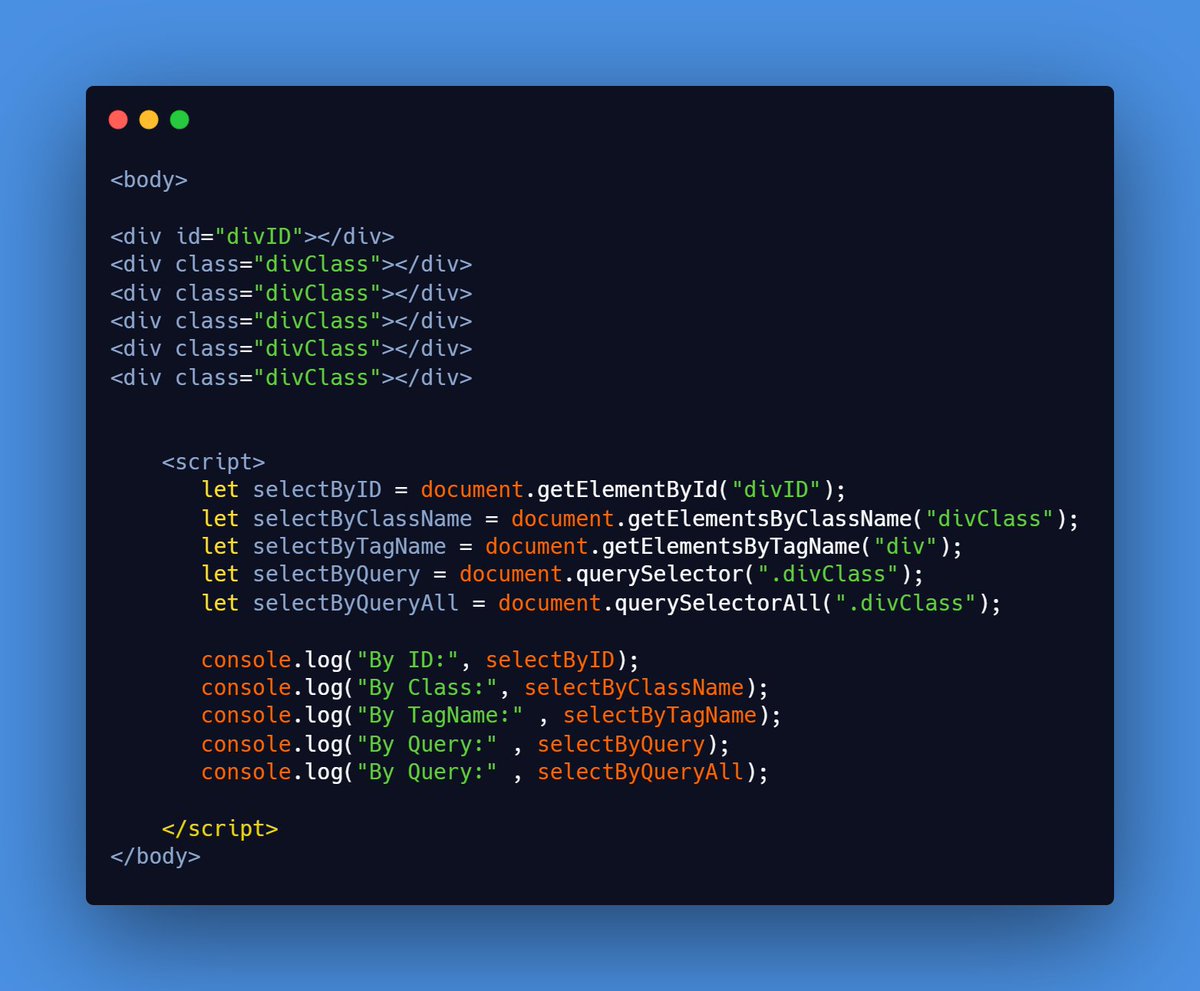
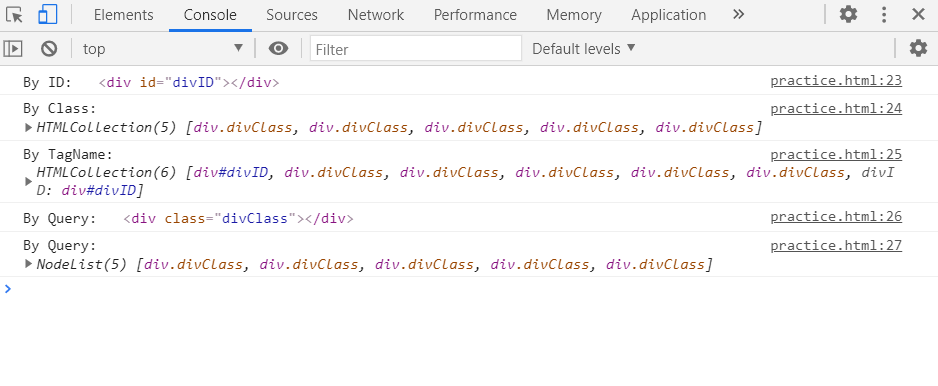
Below code specifies the above ways of selecting an element & their output.
 Changing the style of HTML Element
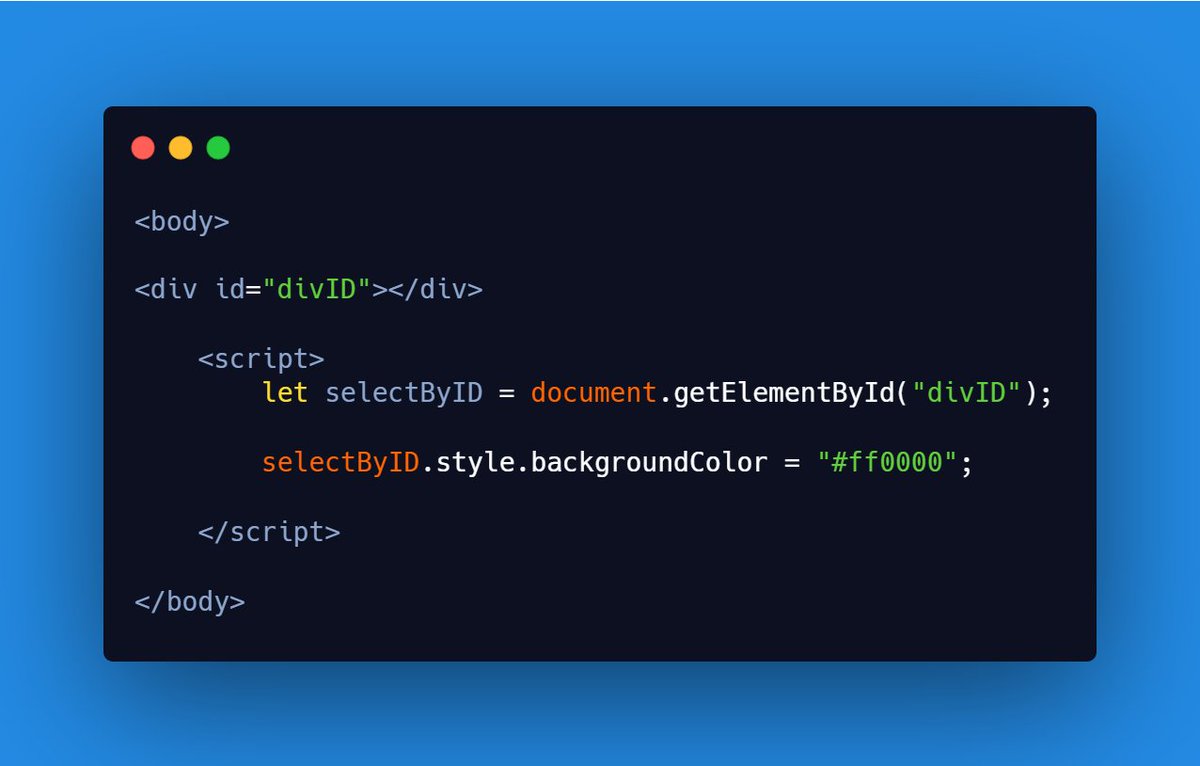
change the style by using
 http://element.style.property = “new style”;
(where element means any of the above ways used to select an element)
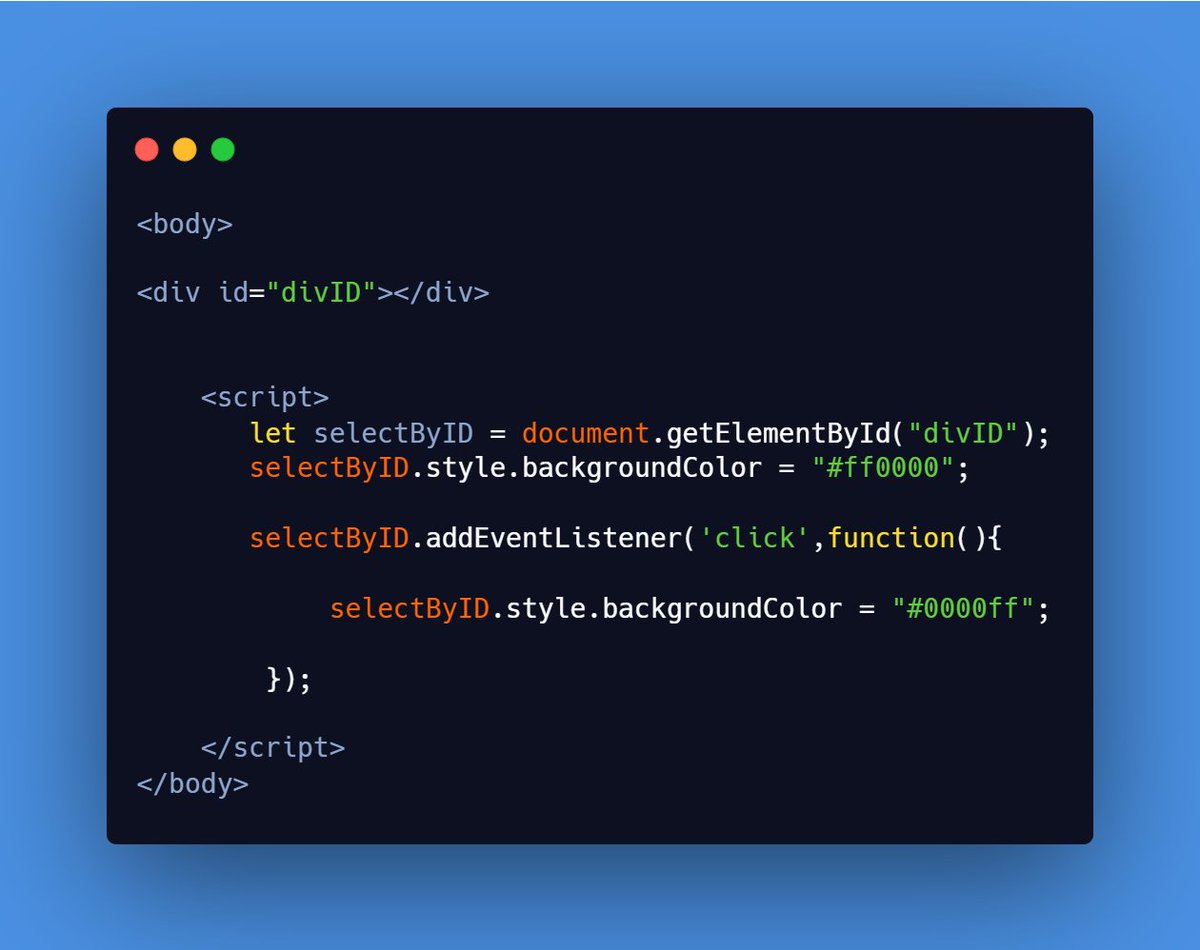
we have changed background-color of div using JS. We can change various CSS styles with JS.

 Binding HTML Elements with Events
We can specify what action to perform after a particular event occurs like a button is clicked.
There are two ways
Using HTML event attribute Using addEventListener(event , function , useCapture) method
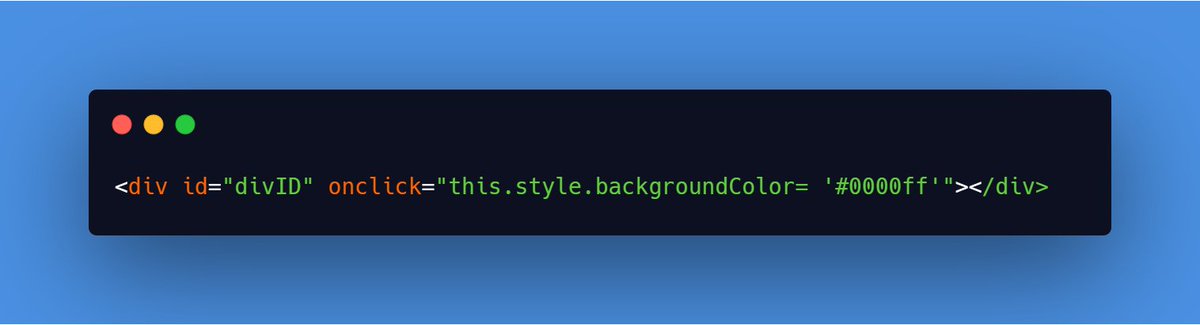
Using HTML event attribute: attributes like onclick , onmouseover to which JS function or code can be added which specifies what needs to be done after that event occurs.
Below I have used "onclick" to change background-color to a div to blue
 Using addEventListener(event , function , useCapture): eventclick, load, mousedown etc.function function called when event occursuseCapture(optional)type of event propagation
(false is for event bubbling & true for event capturing)
What is Event Propagation
way of defining the event flow
 Event Flow -> the element order when an event occurs.
used when elements are nested inside other elements to specify which element's event should be handled first if event occurs on the inner element.
way of defining the event flow Event Flow -> the element order when an event occurs. used when elements are nested inside other elements to specify which element's event should be handled first if event occurs on the inner element.
Two types
Event Capturing : events of outer elements is handled
first then the inner elements.
Event bubbling : events of inner elements is handled
first then the outer elements.
Event Capturing : events of outer elements is handled first then the inner elements.
Event bubbling : events of inner elements is handled first then the outer elements.
Suppose a <p> tag in inside a <div> tag.
Then with Event Bubbling , event of <p> is handled first then comes <div>. But with Event Capturing , event of <div> is handled first and then comes <p>.
Note: Default is Event Bubbling for browsers.
Then with Event Bubbling , event of <p> is handled first then comes <div>. But with Event Capturing , event of <div> is handled first and then comes <p>.
Note: Default is Event Bubbling for browsers.
 Creating HTML Element & appending to document
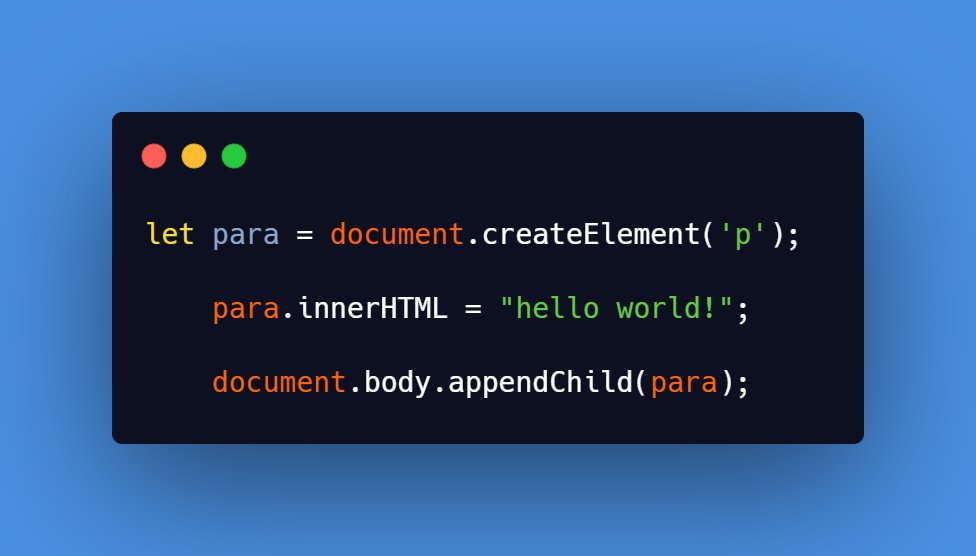
document.createElement() is used to create an HTML Element & appendChild() method is used append it.
Below code creates a p tag & appends it
to the body tag
 Removing an HTML Element
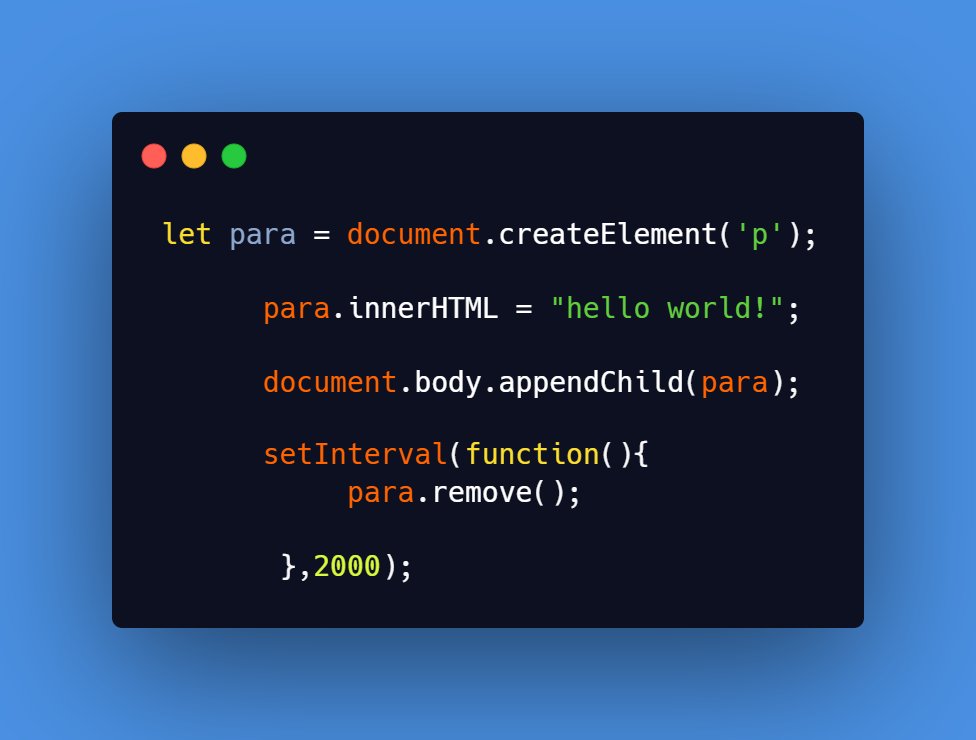
Use the remove() method to remove an HTML Element from web page.
Below code creates a p tag ,sets its text ,appends it to the web page and then after 2s removes it
DOM Manipulation is a vast topic with which we can do so many things on a web page. Adding everything to a thread would be difficult so I listed the main things I feel one needs to get started with it.
Thank you for reading!!
I hope my thread was helpful.
Thank you for reading!!
I hope my thread was helpful.


